Your Calendar and Calendar settings
See who on your team is free, jump to any date, and set up booking on one Settings page: your booking links, the hours clients can book, limits, time off, travel and calendars.
Before you start
- Calendar is part of Pro. Only your company's admins can open it.
- Booking links are switched on for your company by Wedding EQ. If you don't see Booking link in Calendar settings, contact Wedding EQ support at support@weddingeq.com.
- To show who is free, Calendar checks your DJs' Google calendars for busy times only, never what the event is. Google is connected for you on your setup call (see Connecting Google).
Your Calendar
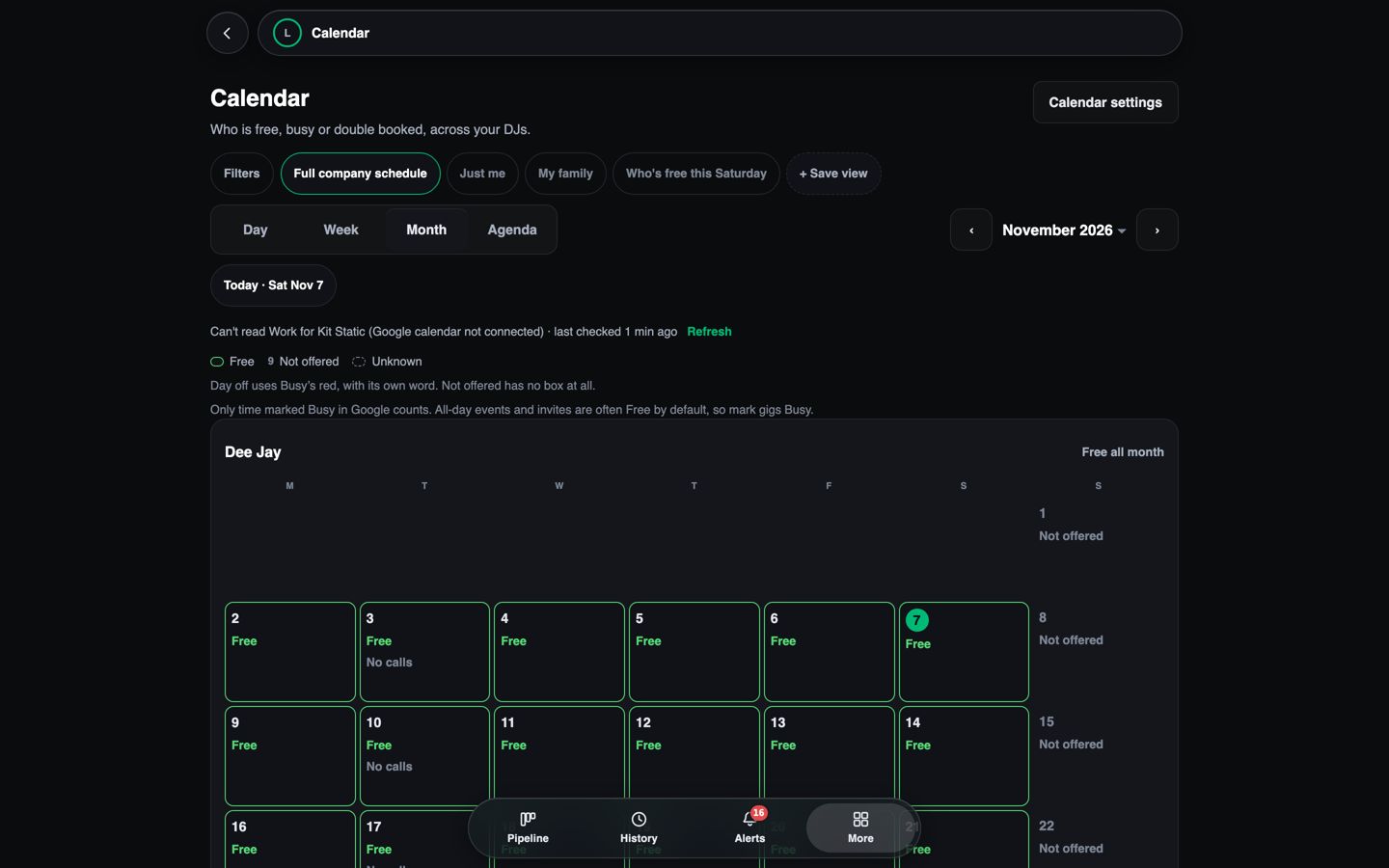
Calendar shows who is free, busy or double booked, across your DJs. It shows only the calendar. Everything you set up lives on one page, behind Calendar settings at the top right.
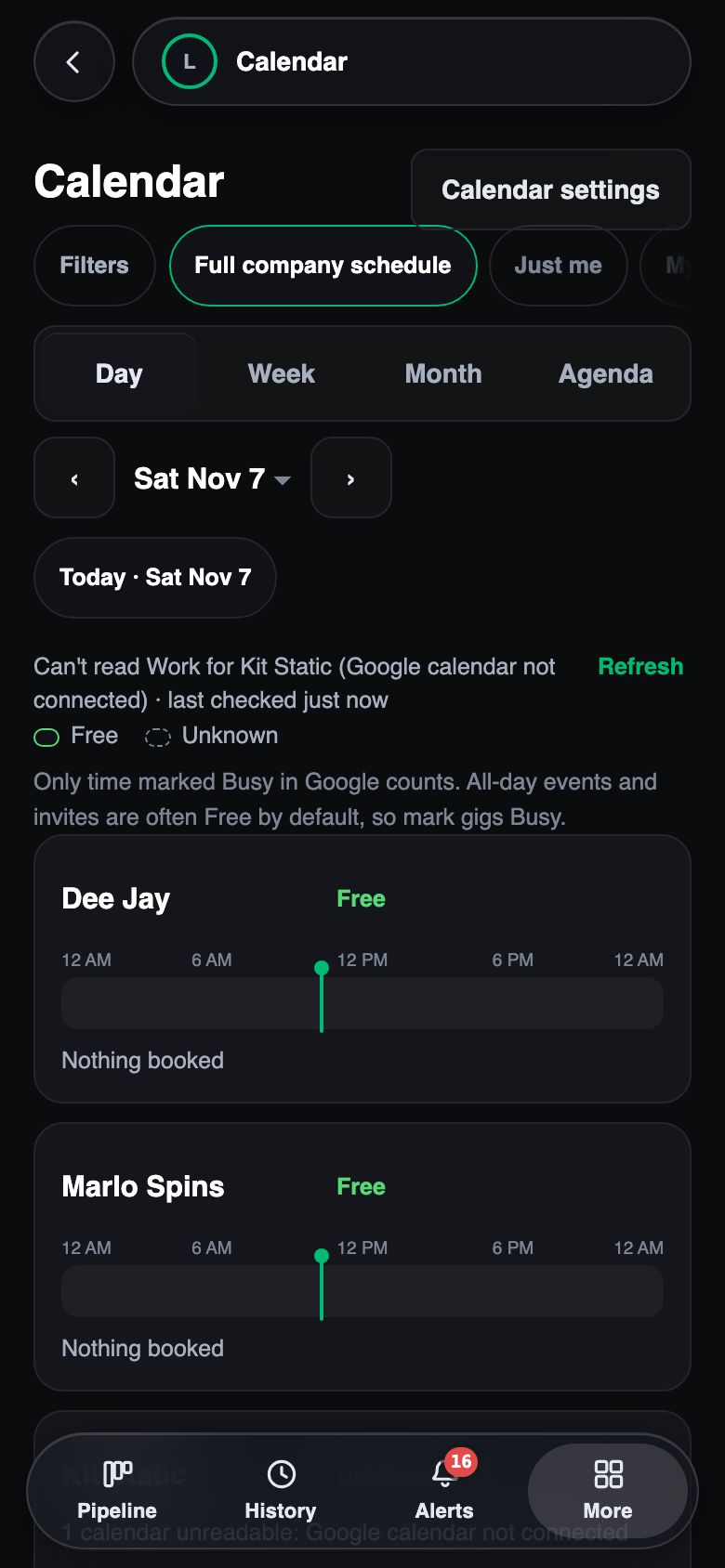
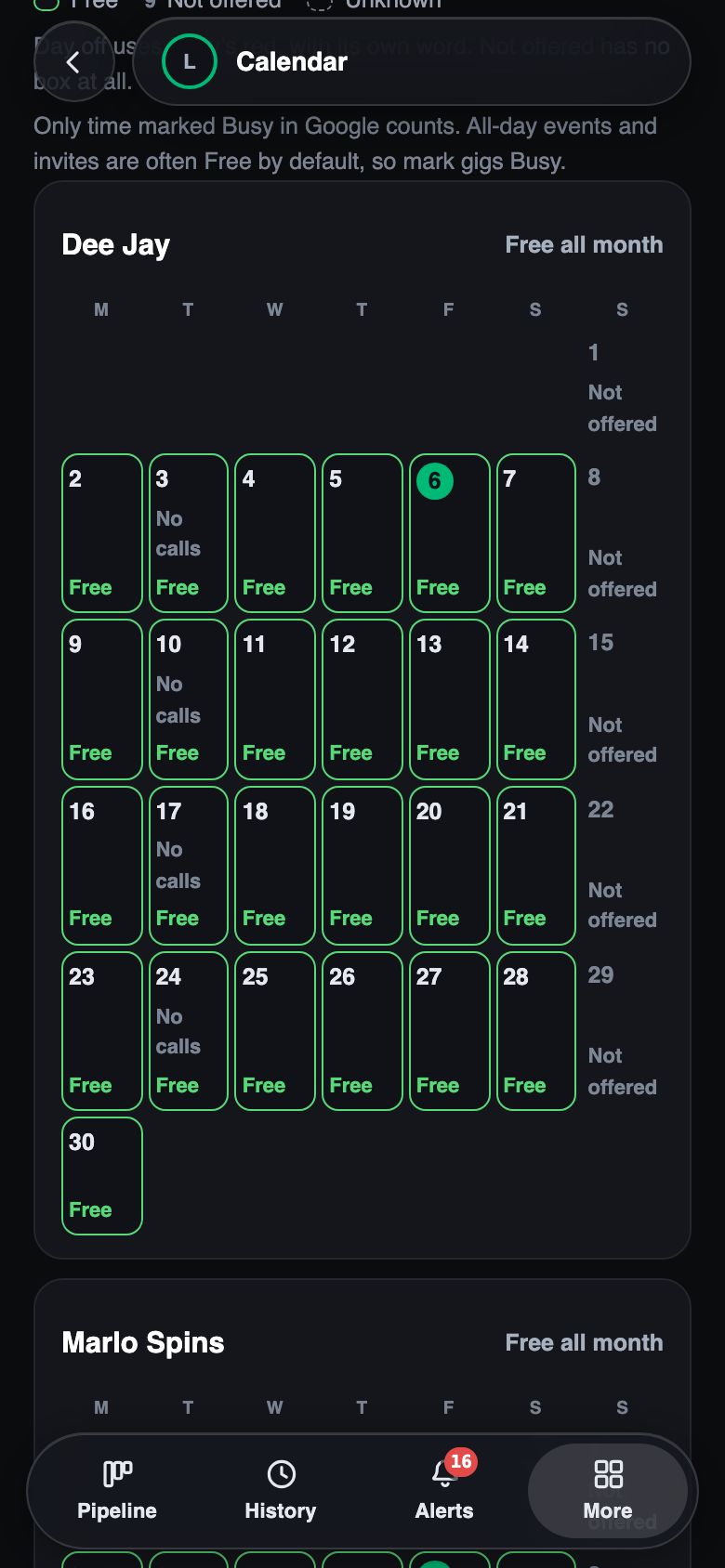
What the days mean
| You see | What it means |
|---|---|
| Free | Green ring. The DJ has nothing marked Busy then. |
| Busy | Red. Something on their calendar is marked Busy. |
| Conflict | Amber ring. Two bookings overlap, or could. |
| Day off | Red, with the words Day off. |
| Held | Red outline, no fill. A time held for a client who has not confirmed yet. |
| Not offered | No box at all. Your booking rules don't offer that day. |
| Unknown | Dashed grey. Wedding EQ can't read that calendar right now, and the line above the legend says why. |
Mark gigs Busy in Google. Only time marked Busy in Google counts. All-day events and invites are often Free by default, so a gig left as Free shows as Free here too.
Jump to any date
Tap the date at the top, for example Fri Nov 6 or November 2026. The arrows on each side move one day, week or month.
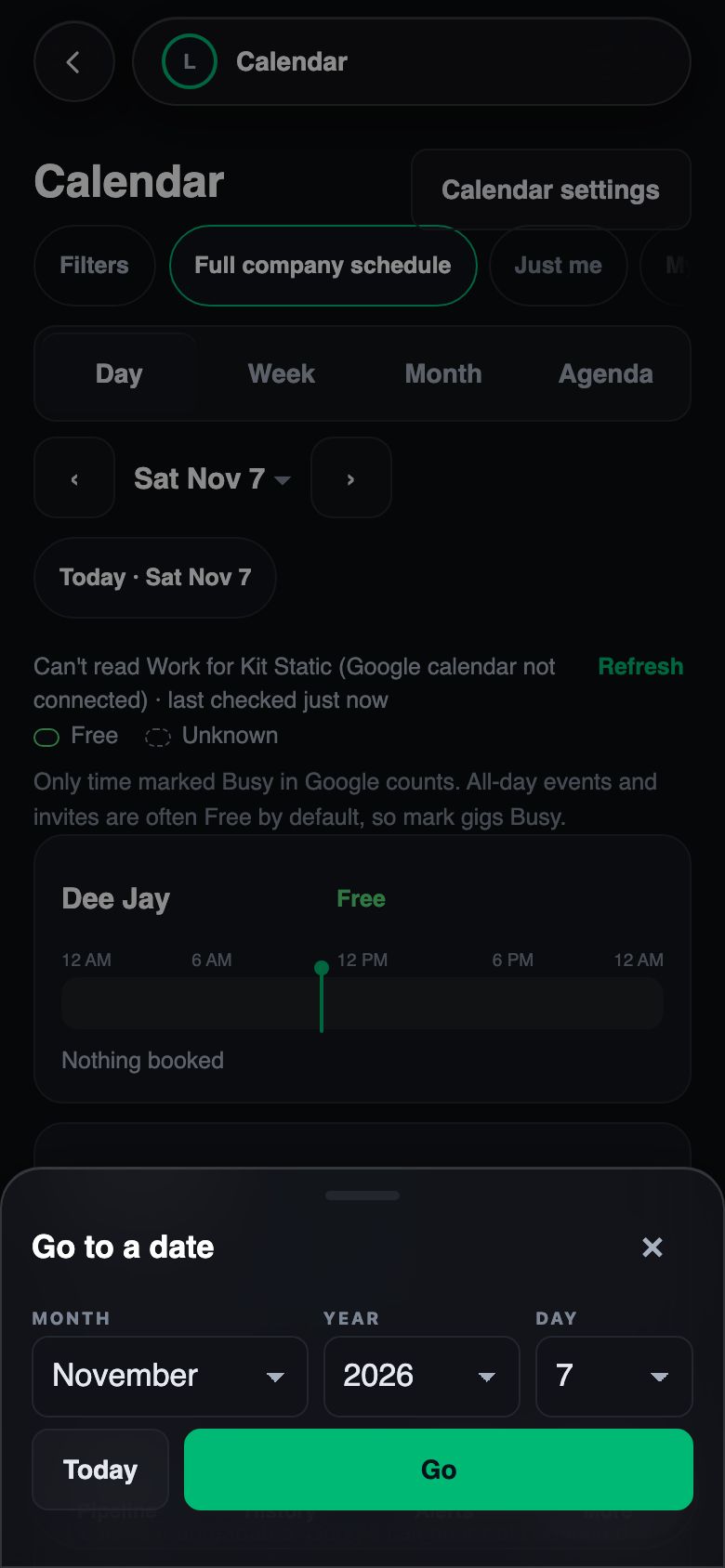
The Today button under the date also brings you back to today from anywhere. Today's date is circled.
Calendar settings: one page
Tap Calendar settings. Everything is on one page, in this order. Back to Calendar takes you back.
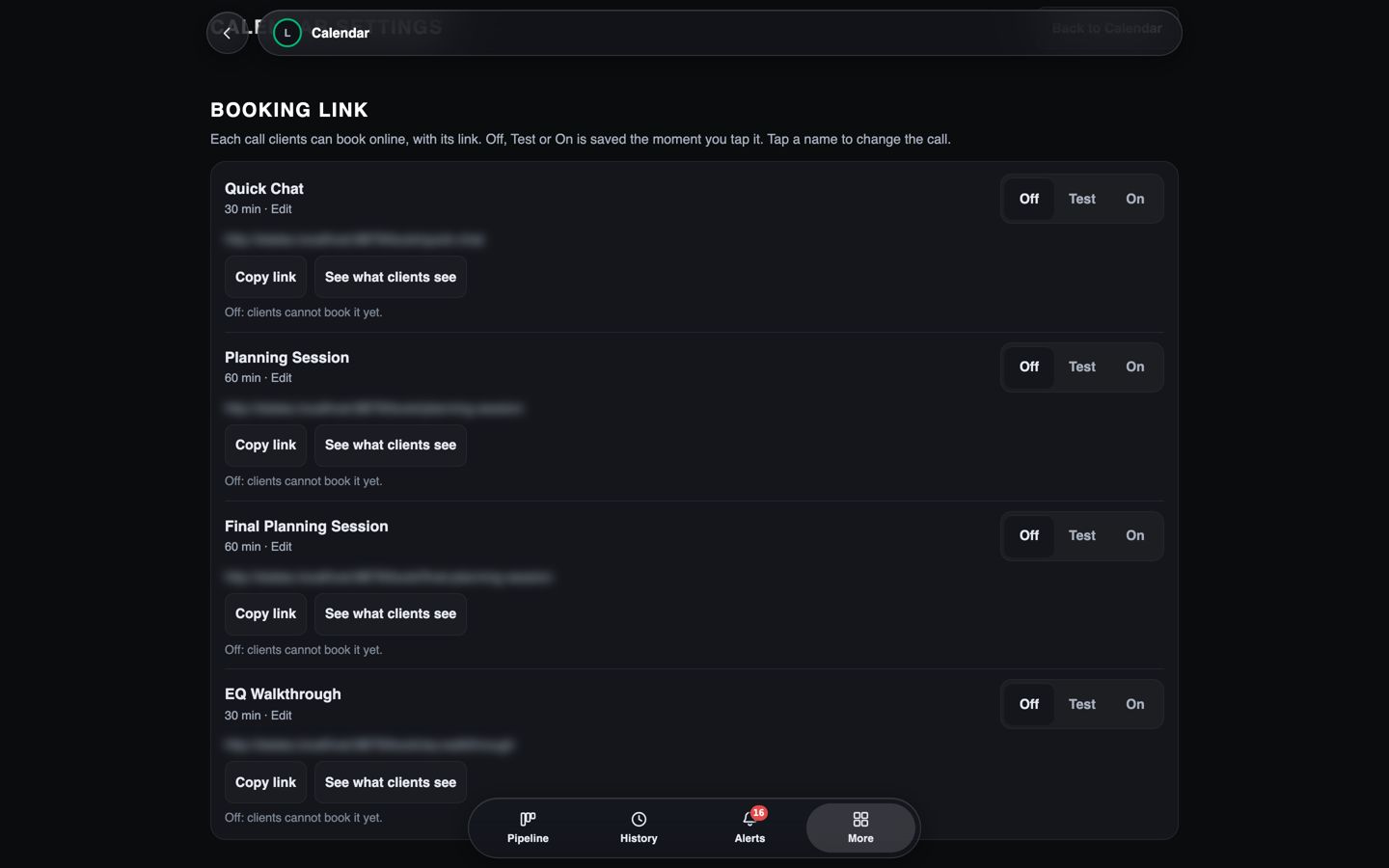
- Booking link: each call clients can book online, with its link.
- Booking pages: what each call asks, and when it can be booked.
- When events can be booked: the weekly hours for full events.
- Time off and special hours
- Full events a day and travel time
- Calendars and connections
- Display
Off, Test and On save the moment you tap them. Everything else shows Unsaved changes with Discard and a Save button, so nothing changes until you save.
Booking links
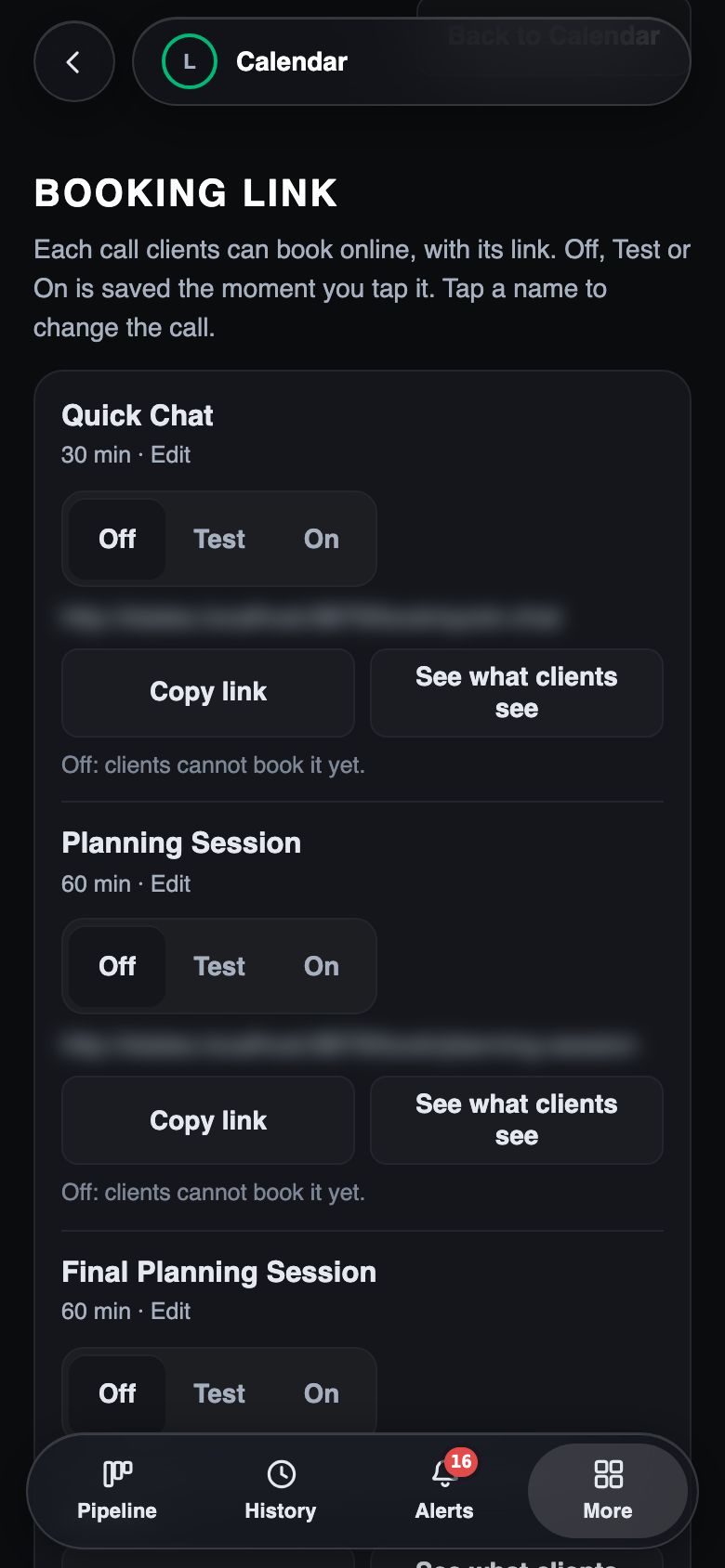
Each call clients can book online has one row: its name, Off, Test or On, its link, Copy link and See what clients see. Tap a name to change the call.
| Status | What happens |
|---|---|
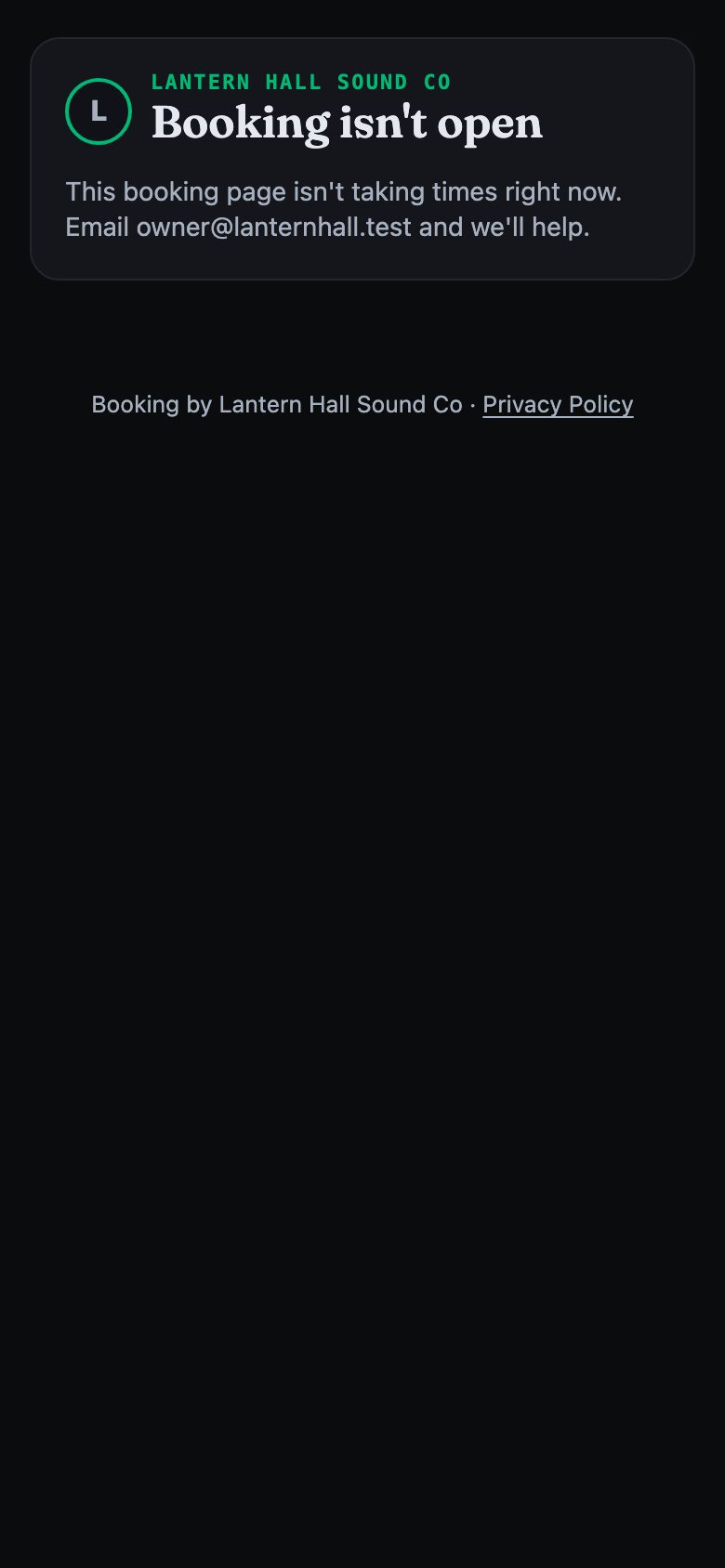
| Off | Clients cannot book it. The link shows Booking isn't open. |
| Test | Only staff who are signed in can open and book it. A booking made in Test is real, so use your own email. |
| On | Anyone with the link can book a time. |
Before a call can go to Test or On
- Choose who hosts it (in the call, Who hosts).
- Add your company name and contact email in Setup.
- Connect your Master calendar in Setup, so booked calls land on it.
If something is missing, Wedding EQ says what, and changes nothing.
Change a call
Tap a call's name. You can rename it, pick a phone call or Google Meet, set its length (15 to 120 minutes) and choose who hosts it: one of your team, or The client's DJ.
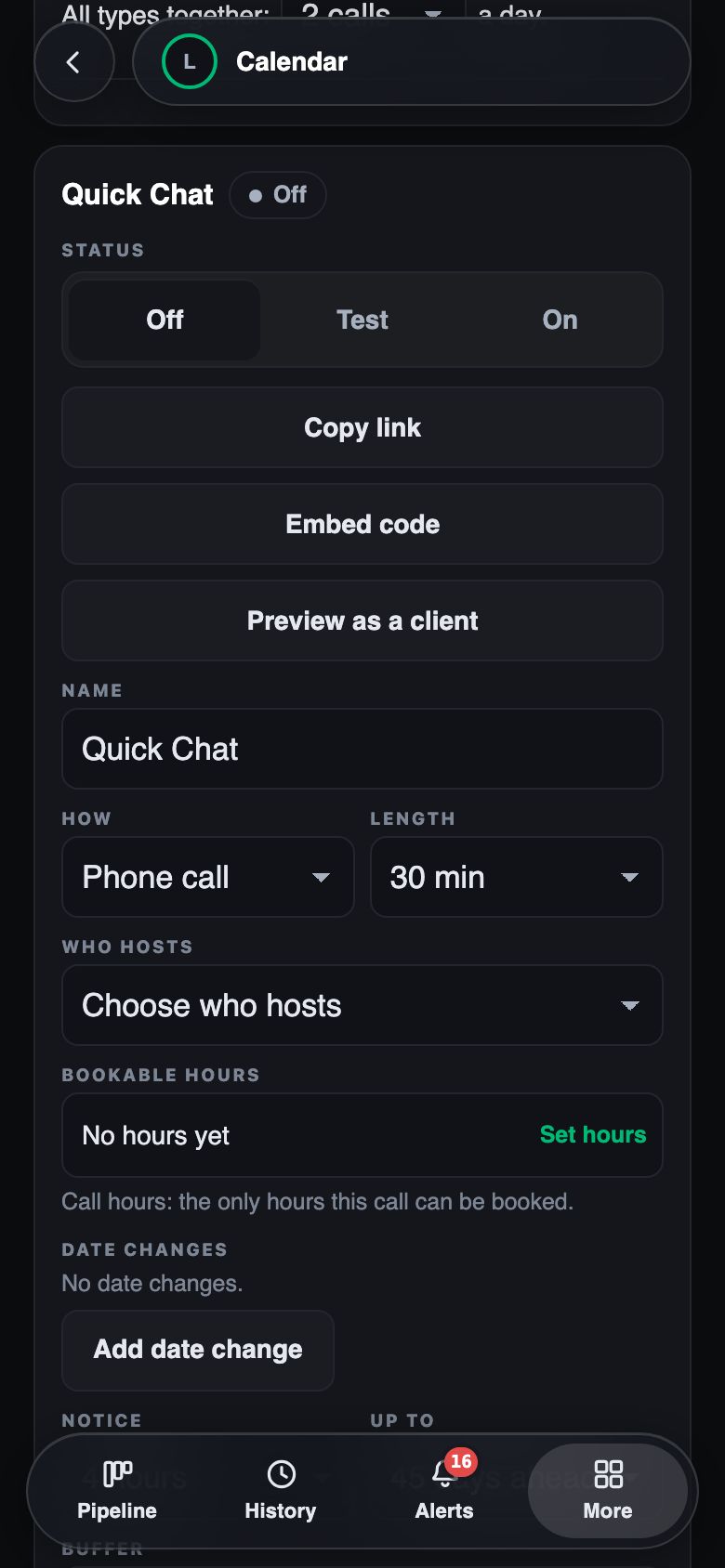
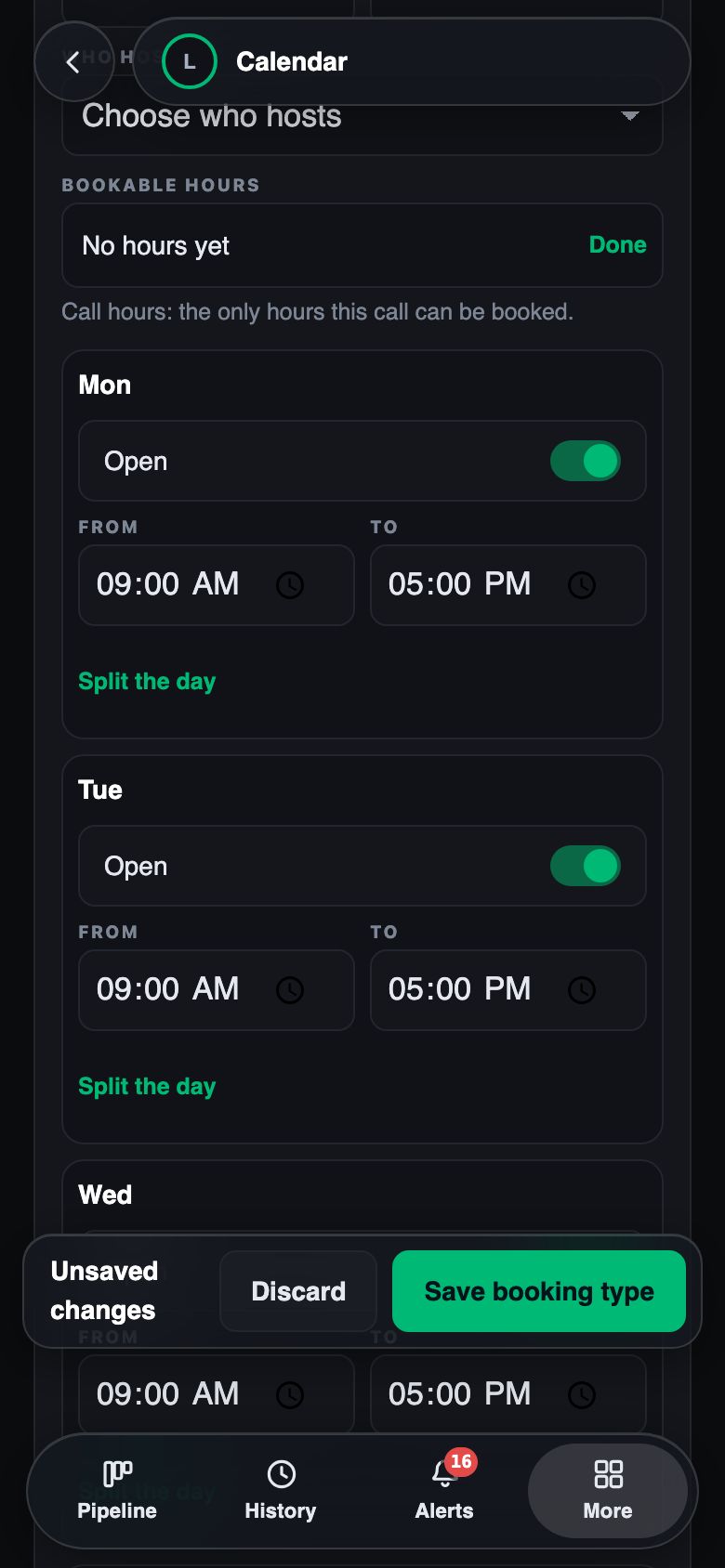
- These are the only hours this call can be booked. Full events keep their own hours (see When events can be booked).
- Times go in 15-minute steps. A To of 12:00 AM means the end of the day.
- Date changes sets different hours on one date. Leave From and To blank to close that date.
- Each call can ask up to 5 questions. Name and email are always asked.
- Email code before booking asks for a code sent by email. Turn it on if you get spam bookings.
- Archive this type stops its link working. You can restore it later, and it stays Off until you turn it on.
Booking limits
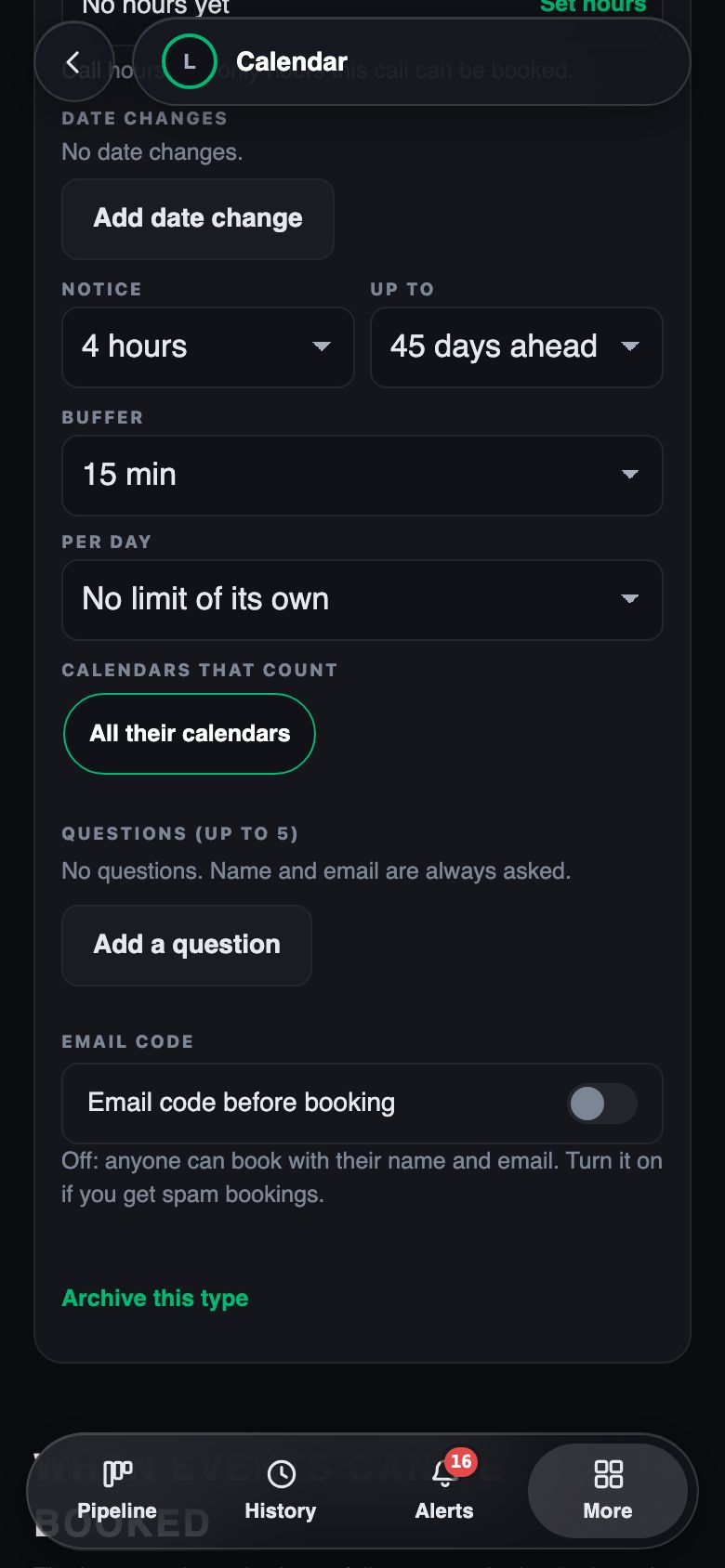
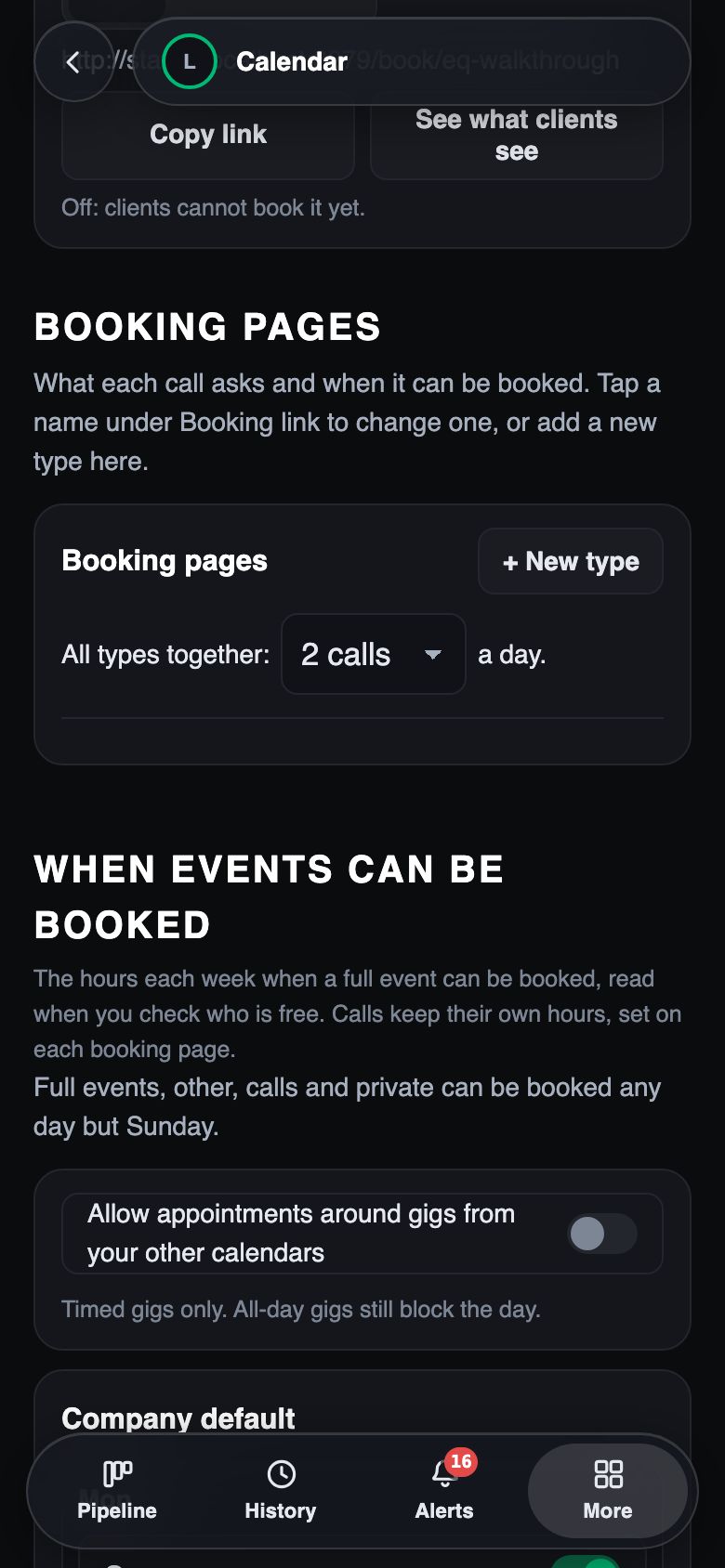
Each call has its own limits, at the bottom of the call. One more limit covers all your calls together.
| Limit | What it does | Choices |
|---|---|---|
| Notice | How soon a client can book. | None up to 1 week. Starts at 4 hours. |
| Up to | How far ahead a client can book. | 7 to 365 days ahead. Starts at 45 days. |
| Buffer | Time kept free around each call. | None up to 60 min. Starts at 15 min. |
| Per day | The most of this call in one day. | No limit of its own, or 1 to 20 calls. |
| All types together | The most calls of every kind in one day. | 1 to 20 calls. Starts at 2. |
When events can be booked, and "Full event (takes the day)"
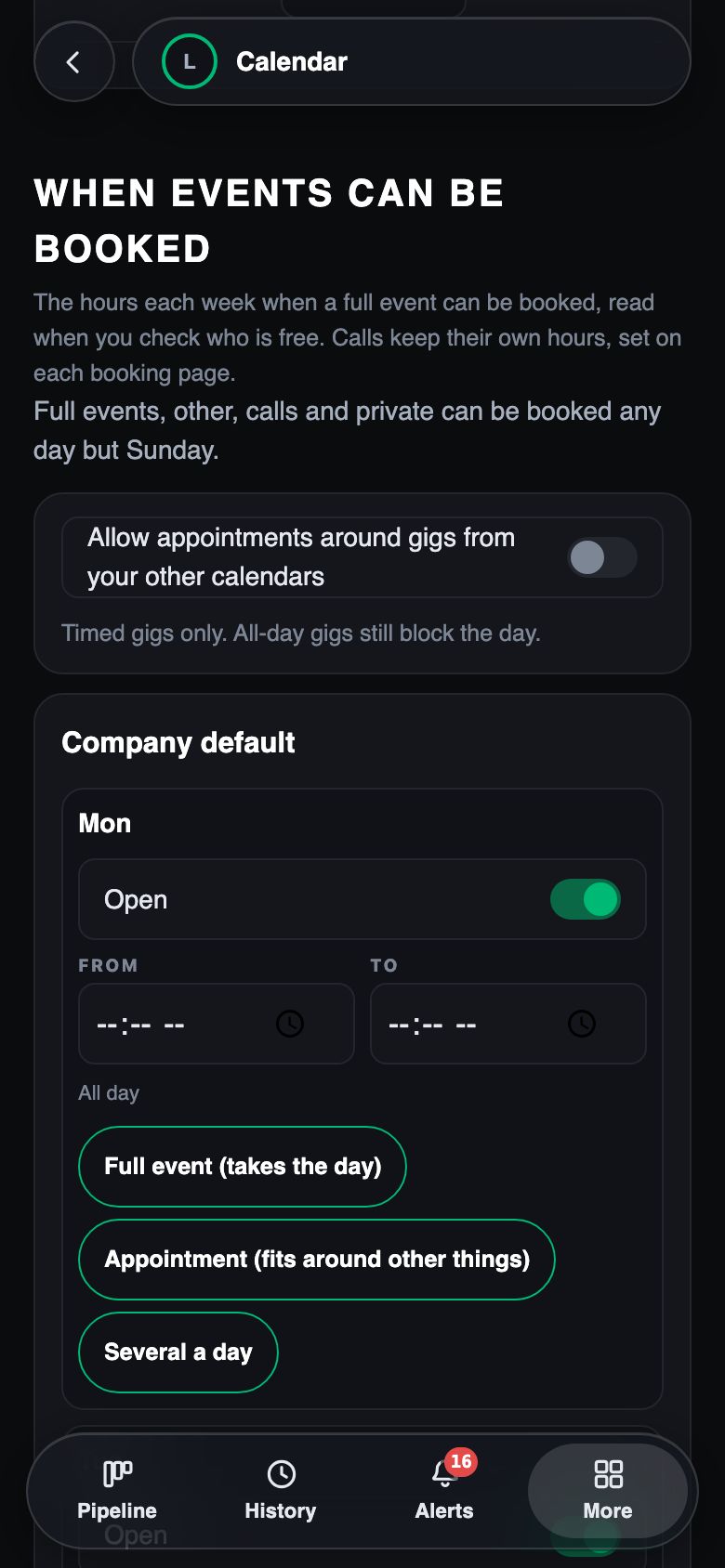
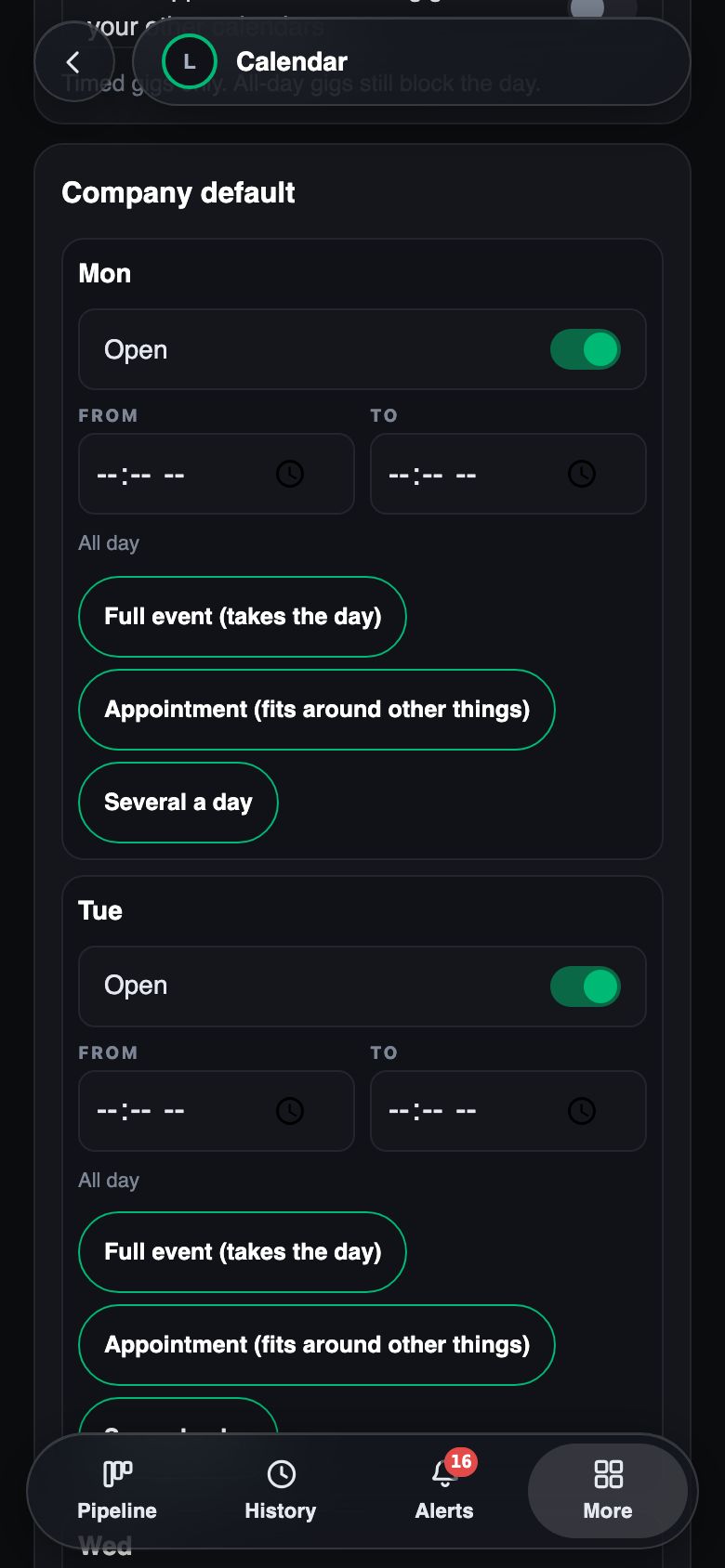
These are the hours each week when a full event can be booked. Wedding EQ reads them when you check who is free. Calls keep their own hours, set on each call.
| Kind | What it means |
|---|---|
| Full event (takes the day) | A booking that holds the DJ for the whole day. On a day with a full event, the DJ isn't offered for a call or appointment. |
| Appointment (fits around other things) | A shorter booking that fits around what else is on that day. |
| Several a day | A kind a DJ can do more than once in a day. |
- Allow appointments around gigs from your other calendars: off by default. When on, an appointment can fit around a timed gig from a DJ's other calendars. All-day gigs still block the day.
- A DJ can follow the company default, or have their own days. Tap Change for a DJ, and Use company rules to go back.
- Leave From and To blank for all day. Tap Save booking rules.
Time off and special hours
Close a DJ for some dates, or open them for set hours on a day that is normally closed.
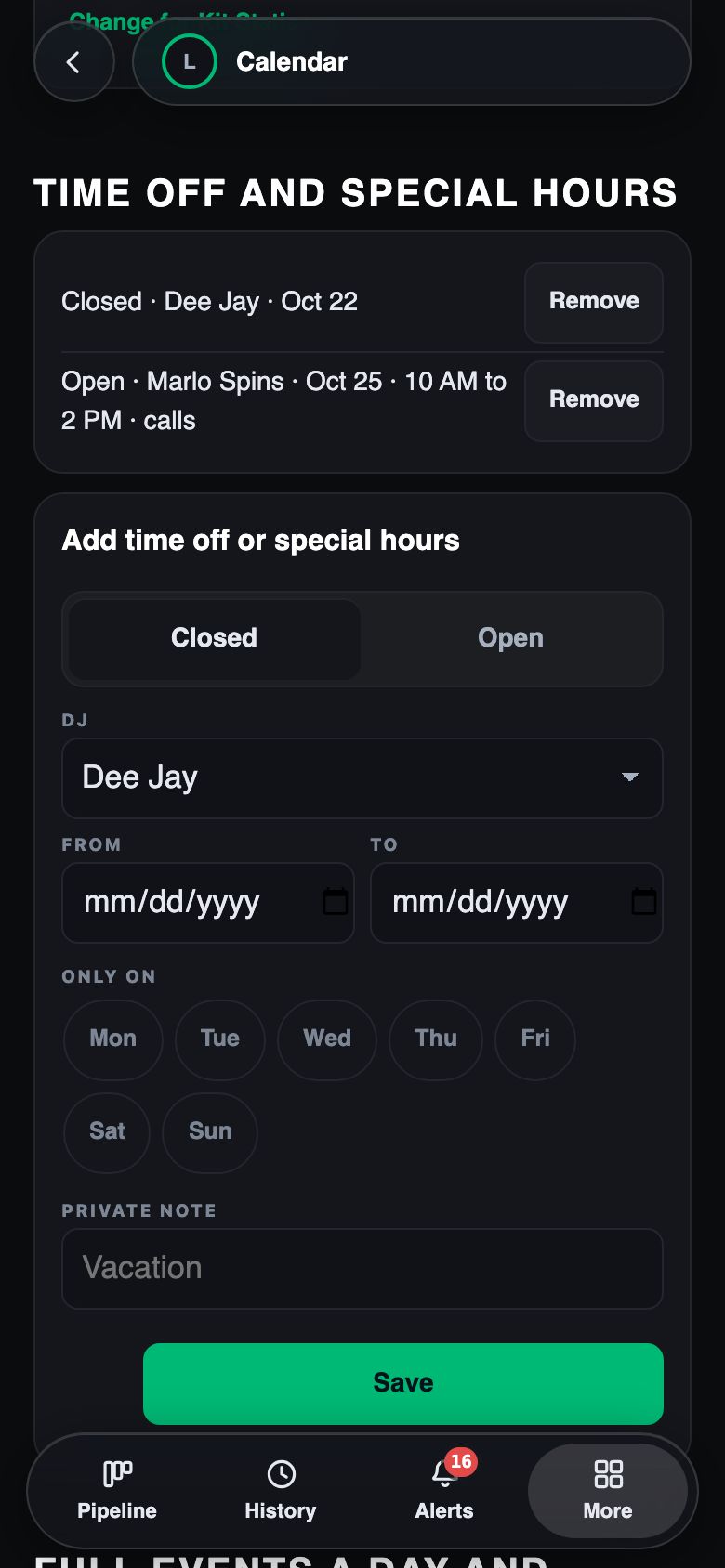
- The Private note (like Vacation) is only for your team.
- For Open, pick a start and end time and which kinds it covers.
- Remove takes one off, and Undo brings it back.
- You can also tap a day on the Calendar and choose Day off or Open for bookings.
Full events a day and travel time
Travel and setup time is kept clear before and after each event. A calendar can set its own.
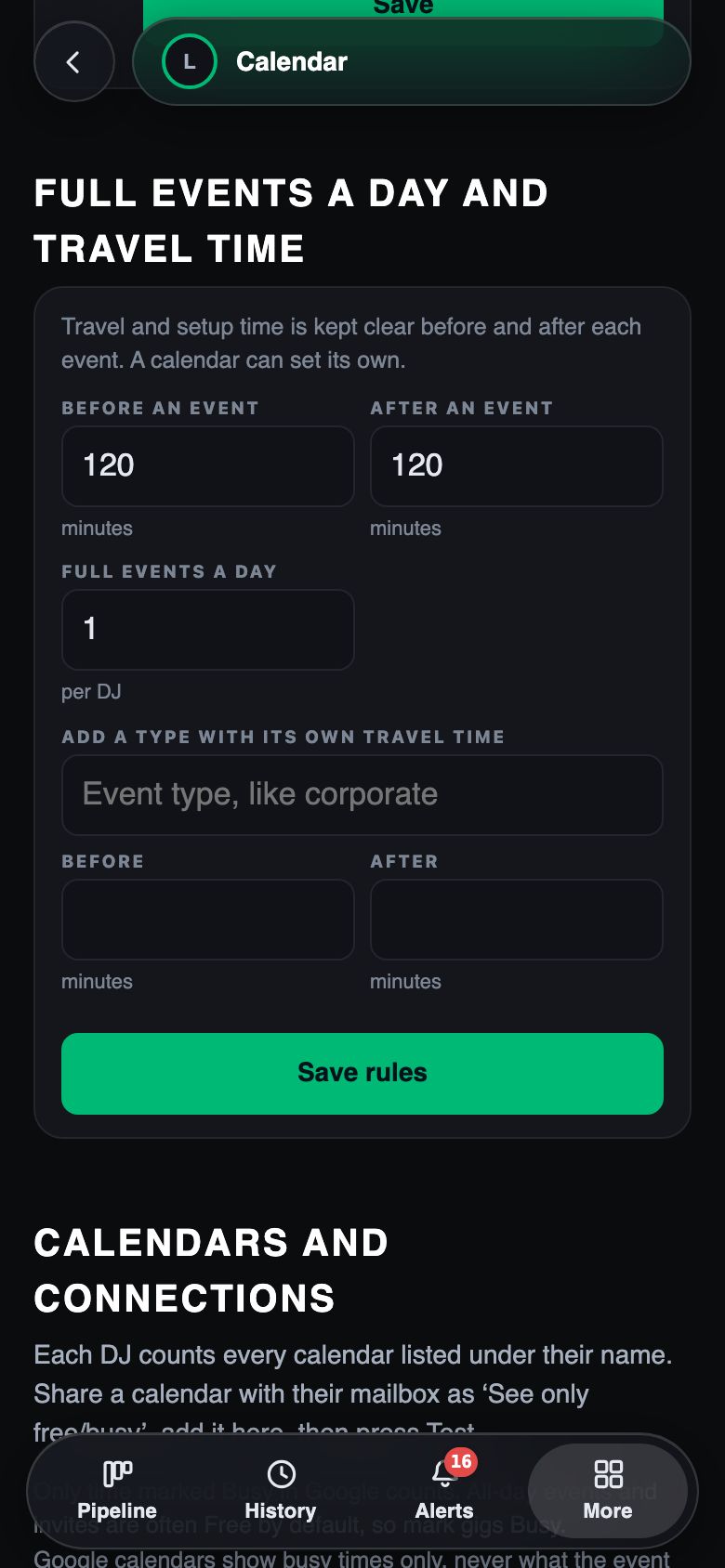
- Add a type with its own travel time gives one event type, like corporate, its own Before and After.
- A DJ can have their own Full events a day in their calendars card. Blank means the company rule.
Calendars and connections, and Display
Each DJ counts every calendar listed under their name. Share a calendar with their mailbox as "See only free/busy", add it here, then press Test.
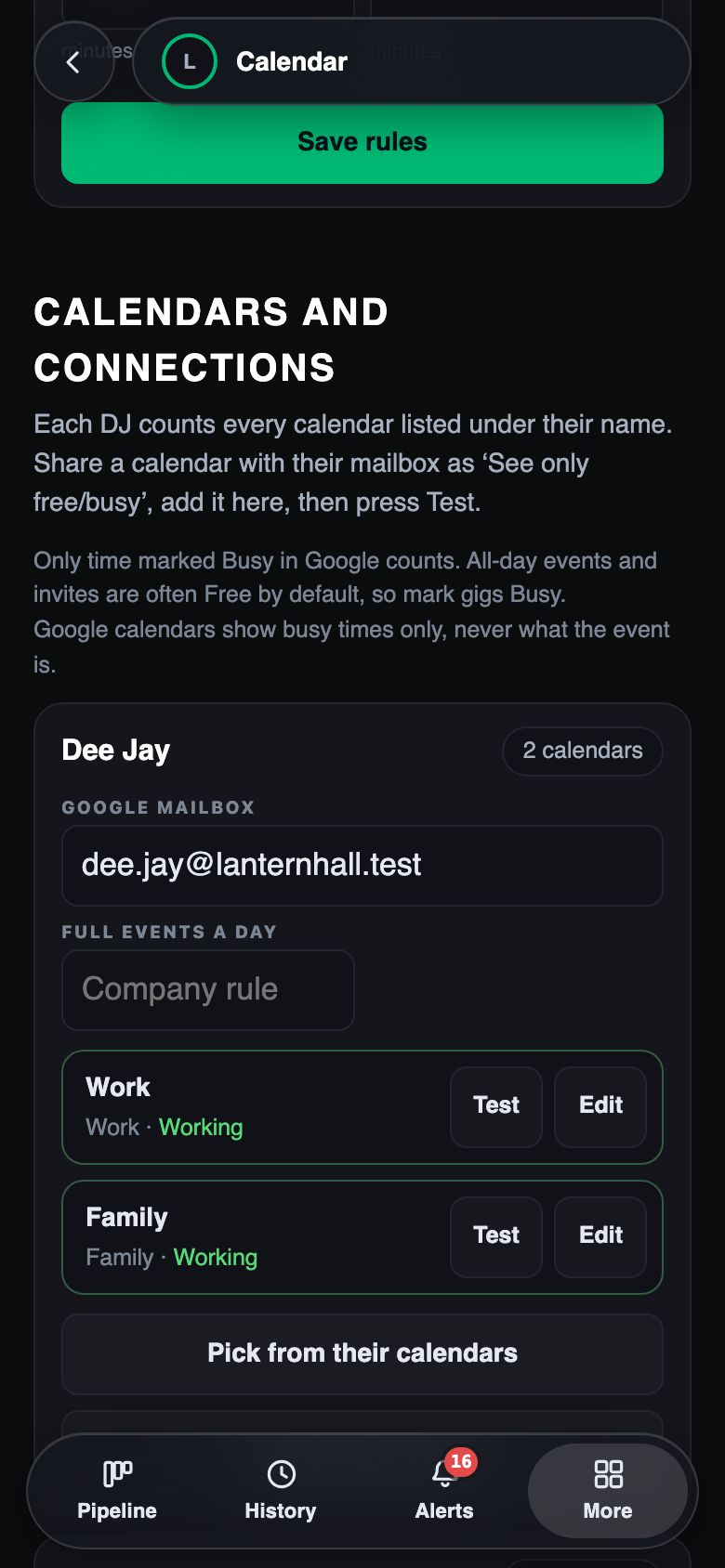
- Google calendars show busy times only, never what the event is.
- Each calendar has a kind: Work, Family, Personal, Gig elsewhere or Blackout, and can have its own travel time.
- Company calendars hold blackouts and holidays, for every DJ or the DJs you pick.
- Display has one switch, Show the time strip: morning, afternoon and evening along the bottom of each day in Week and Month, red where busy. It is just for you.
If something goes wrong
- No Booking link in Calendar settings. Booking pages aren't on for your company yet. Contact Wedding EQ support at support@weddingeq.com. On LITE, booking pages are part of Pro.
- A call won't turn to Test or On. The message says what is missing: who hosts it, your company name or contact email, or the Master calendar.
- A DJ shows Unknown. Wedding EQ can't read that calendar. Open Calendars and connections and press Test on it. If it says Not shared yet, share it with the DJ's mailbox as "See only free/busy".
- A gig shows as Free. Mark it Busy in Google.
- Status won't change. If you are editing that call, save or discard your changes first.
Questions?
Email support@weddingeq.com. Our target is a reply within 1 business day. More answers are in the FAQ, and every guide is in Help.